
Tips for Moving IT Equipment in an Office Relocation
Our Tips for Moving Your Office Kit and IT Equipment in a Relocation, With Less Risk
Your computers and servers are often the hardest part of an office move to get right. A desk can take a knock and still work. A server cannot. If a drive is dropped or a cable goes in the wrong port, your staff may sit idle while someone tries to fix it. Files can be lost, too. Your network holds your records, your tools and the work your clients pay you for. So it pays to treat it with extra care when you change premises.
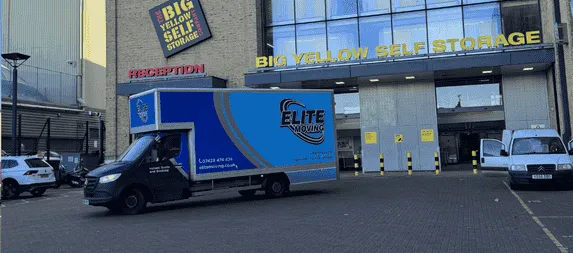
At Elite Moving, we move offices of all sizes from our base in Wallington, near Croydon and Sutton. We work across London, Surrey and the rest of the UK, and we are fully insured. Our crews pack screens, PCs and server racks with care, and we plan each IT move with your own staff before the day.
Below are the steps we suggest to every business we help. Follow them and your computers, phones and network kit should arrive safe and working after your office relocation.
1. Start Planning Early
Most IT problems on moving day start weeks before it. A rushed plan leads to lost cables, missed steps and long outages. So begin early. Bring your office manager, your IT lead, any outside IT supplier and your movers into one small group. Choose one person to make the final calls, so no one gets mixed messages. Then agree the move date, the time you can afford to be offline, the list of kit and the order it should go in. The more time you give this, the fewer shocks you get on the day.
2. Conduct a Full Hardware & Software Inventory
Next, write down every piece of kit you own before anything is unplugged. Go room by room. List servers, network boxes, routers, PCs, laptops, screens, printers, desk phones and the leads that join them. Add the make, model and serial number for each one, and note any marks or faults. Take clear photos of the back of each rack and each desk. Keep the list in a shared sheet your team can update. A good record tells you at once if something is missing, and it makes the rebuild far quicker at the new site.
3. Backup Everything — Then Backup the Backup
Never move a server without a fresh copy of what is on it. Take a full backup a few days before the move, and keep a second copy somewhere off site, such as a secure cloud service. Then test it. Open a few files from the backup to be sure they work. If you hold personal data, keep the copies locked and encrypted, in line with UK GDPR. That way, even if a drive fails on the road, your firm can carry on with nothing lost.
4. Use Professional Server & Rack Moving Equipment
Office computers need different handling from sofas and wardrobes. Our professional moving crews bring padded covers, strong crates, trolleys and straps made for heavy, fragile kit. Server racks are lifted and wheeled with care, never tipped or dragged. In the van, we secure each item so nothing slides or bumps on the journey. We also keep IT kit away from damp and cold where we can. The right gear on the day makes a huge difference to how your kit arrives.
5. Label Every Cable (Both Ends!)
Loose cables slow down more IT moves than anything else. Before you unplug a thing, photograph each rack and desk from the back. Then tag both ends of every lead with the same code. Build a simple sheet that shows which port each lead came from and where it went. At the new office, your team can plug it all back in by following the codes. It saves hours of guessing, and your systems come back just as they were. You will also get far fewer calls from staff after the move.
6. Protect Against Electrostatic Discharge (ESD)
A tiny spark of static can damage chips, memory and drives without you seeing it. You will not always know until a machine fails to start. Keep loose parts in anti-static bags, and handle boards by the edges only. Avoid packing bare parts in plastic or foam that holds a charge. Our crews bring anti-static bags and wrap, and they pack small parts with care. Ask your IT team to bag any spare drives or cards before we arrive.
7. Sequence the Move to Minimise Downtime
Plan the order of the move so your business stays open as long as it can. Many firms move the main kit over a weekend or after hours. If you can, set up a spare switch or server at the new site first and move key services across in advance. Staff can then work while the rest of the kit travels. Bring up the network first, then the servers, then the desks. Check each stage works before you move on to the next one.
8. Hire Specialist IT Movers (Not Just Regular Office Movers)
Not every removal crew is used to handling computers, and some standard movers treat a server like any other box. Ask any mover how they pack racks, screens and network kit before you book. Ask who will be on site and what they will bring. At Elite Moving, our crews pack and load IT kit with care, and we work alongside your own IT staff or supplier. They handle the switching off and on, the settings and any software. We take care of the safe packing, lifting and transport in between.
9. Insure Specifically for Electronics
Check your insurance before the move, not after it. Some business policies do not cover kit while it is in transit, or they leave out certain kinds of damage. Read the small print, or ask your broker what is covered on the day. Elite Moving is fully insured, including Goods in Transit insurance. We are happy to talk you through our cover so you can see if you need any more of your own for very costly kit.
10. Test Everything Immediately After Re-Assembly
Once the kit is in place, switch it on in a set order. Start with the network, then storage, then the servers, and finally the desk PCs and phones. Test each step before you go on. Can staff log in? Do printers and shared drives show up? Is the internet working? Keep your IT supplier on hand during the first day, in case a setting needs changing. Fixing small faults early stops them turning into big ones on Monday morning.
11. Decommission Old Hardware Responsibly
A move is a good time to clear out old kit, but do it safely. Any drive that held company or client data must be wiped properly or destroyed, so no one can read it later. Use a trusted firm that recycles electronic waste the right way and gives you a certificate for each item. Keep those papers on file, as they show you met your duties under data protection law. Never leave old PCs in a skip or a basement for someone else to find.
Your IT Relocation Checklist: Before, During and After
Our checklist splits the work into three parts: what to do in the weeks before, what to do on the day and what to check once you are in. Tick off each task as you go, so nobody on your team forgets a step.
Why Trust Elite Moving?
We are a Wallington removals firm with years of experience moving homes and offices. Our crews are trained to wrap, lift and load fragile kit with care. We are fully insured, available 24/7 and happy to work in the evenings or at weekends to suit you.
We plan ahead with your team, wrap and load each item with care and check everything off at both ends. That keeps your move calm and well ordered. Our aim is simple: your staff should be able to get back to work as soon as we leave.
Ready to Move Your IT Equipment Without the Nightmares?
Whether you are moving a few desks or a full server room, Elite Moving can help. Get in touch for a free quote. We will ask about your current office, what needs to move and when, and then we will suggest a plan that suits your business and keeps the risk low.
Get in touch with Elite Moving today and ask us for a free quote.
Moving Office IT Equipment: Your Questions Answered
When should we start planning the IT side of an office move?
Start as early as you can, ideally a few months before the move. Your IT team needs time to list every device, check the network at the new site and order new cabling or lines. Internet lines in particular can take a while to install. Early planning means staff can log on the morning after the move.
Can ordinary office movers handle servers and network racks?
Servers and racks need more care than desks and chairs. They are heavy, sensitive to knocks and hold your data. Your IT team should power them down and back up all data first. We wrap and secure them with padded covers and move them upright. Your IT team or supplier then reconnects and tests them on site.
How can we keep IT downtime short during an office relocation?
Move over a weekend or in the evening if you can. Move in stages, with key systems last out and first in. Label every cable at both ends and photograph how each desk is set up. Have the network at the new site ready before the computers arrive, so staff can start work straight away.
Is our IT equipment insured while it is being moved?
We are fully insured, including Goods in Transit insurance, while your kit is in our care. Check your own business insurance too, as it may have rules about moving electronics. Back up all data before the move, because no insurance can replace lost files. Tell us about any high-value kit so we pack it with extra care.
What should we do with old servers and hard drives after the move?
Do not just throw them away. Old drives can still hold company and customer data. Have them wiped or destroyed by a firm that gives you proof it was done. Then recycle the hardware under the rules for electrical waste. Decide this before the move, so old kit does not travel to the new office for no reason.
Getting Staff Desks and PCs Ready for an Office Move
Servers get most of the attention, but most offices have far more desk kit than server kit. Ask each member of staff to save their work, log off and shut down their PC properly the evening before the move. Unplugged is not the same as shut down, and a PC switched off mid-update can fail to start again.
Give each desk a number and put that number on the PC, screens, keyboard, dock and the bag of cables that goes with them. Keep each person's kit together in one crate or box. At the new office, put the same number on the new desk, so our team can place everything in the right spot.
Ask staff to take home or lock away personal items, chargers and anything private before the move. Make sure laptops travel with their owners, not in the van, and that each one is fully backed up first.
Moving IT Kit With Elite Moving From Our South London Base
Our team is based in Wallington, on the border of south London and Surrey, and we carry out office moves across London and the rest of the UK, as well as to Europe. For each IT move, we agree a plan with your IT lead before we arrive, so we know what is moving, in what order, and what must stay with your own staff.
We wrap screens and PCs in padded covers, pack cables in labelled bags and load IT kit last so it comes off the van first. We can work evenings and weekends to keep downtime low. If you need to hold kit between offices, our secure storage can help. Call 07428474474 or 02080444474 to talk through your move.
We are happy to work around your own IT team or supplier.